Best Task Management Software
Maximise productivity and simplify workflow with OfficePortal. Stay on top of your tasks and meet deadlines with ease using our intuitive platform.
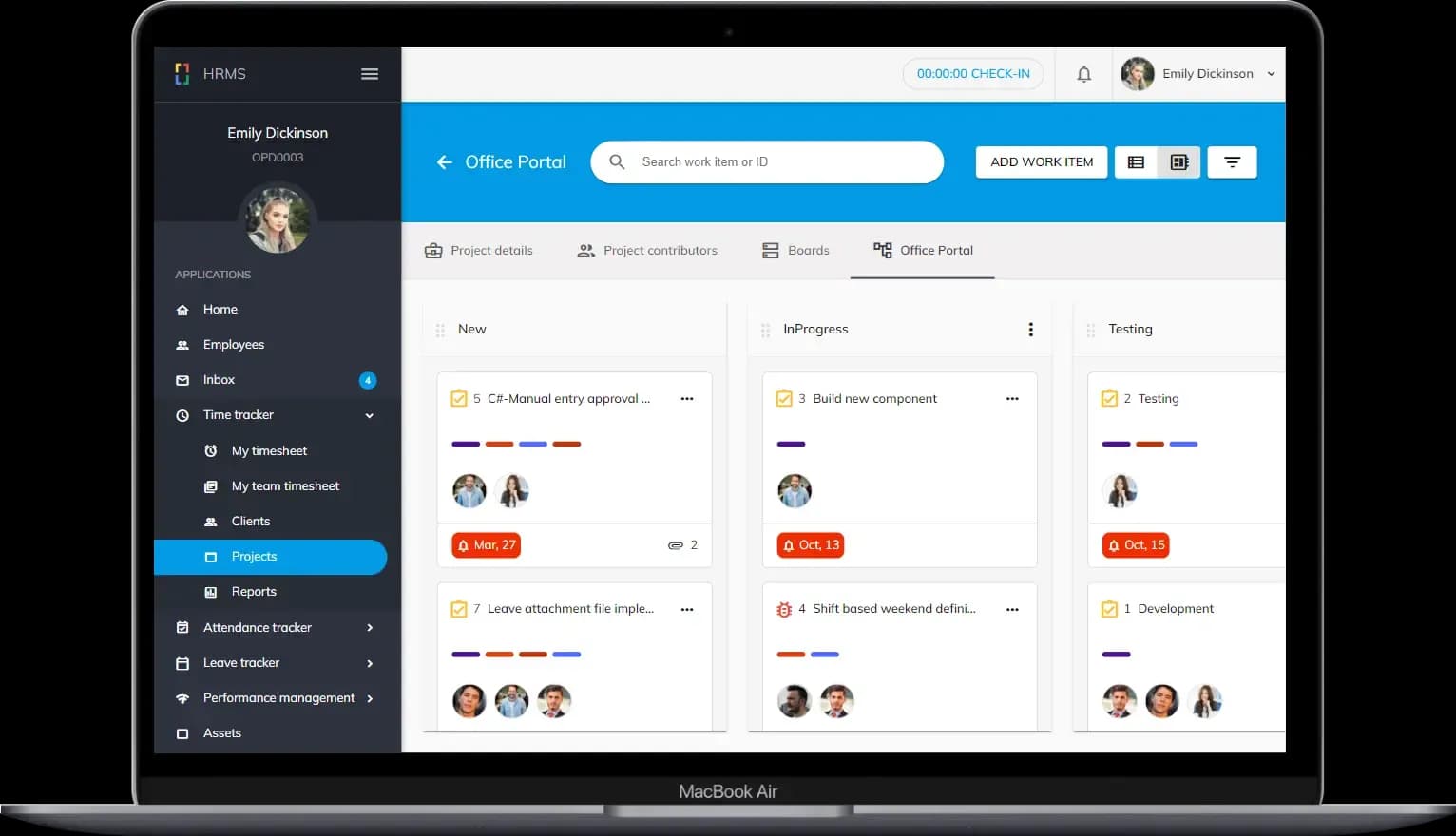
Let’s Make Task Management a Breeze
Efficient, User-Friendly, Comprehensive Task Management Tool
BOARDS
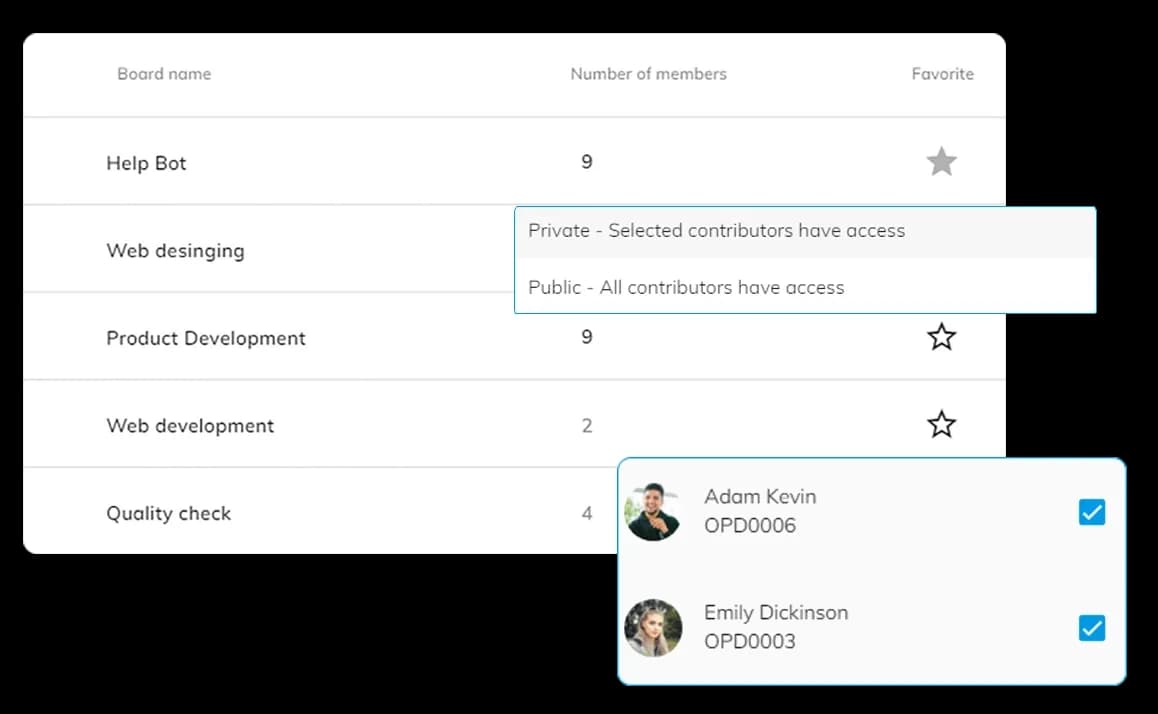
Create boards, add employees, mark any board as your favorite. Add tasks and manage workflows easily.
BILLING TYPES
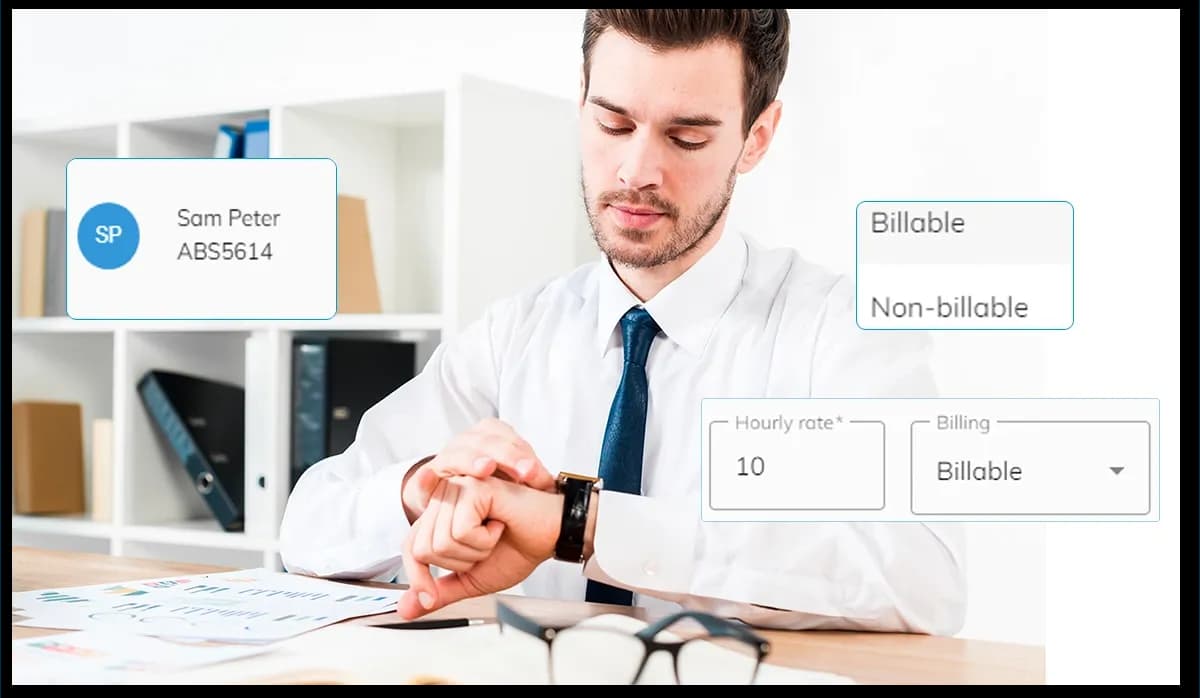
Manage project costs by assigning billing types, designating employees as billable or non-billable with hourly rates
TASKS
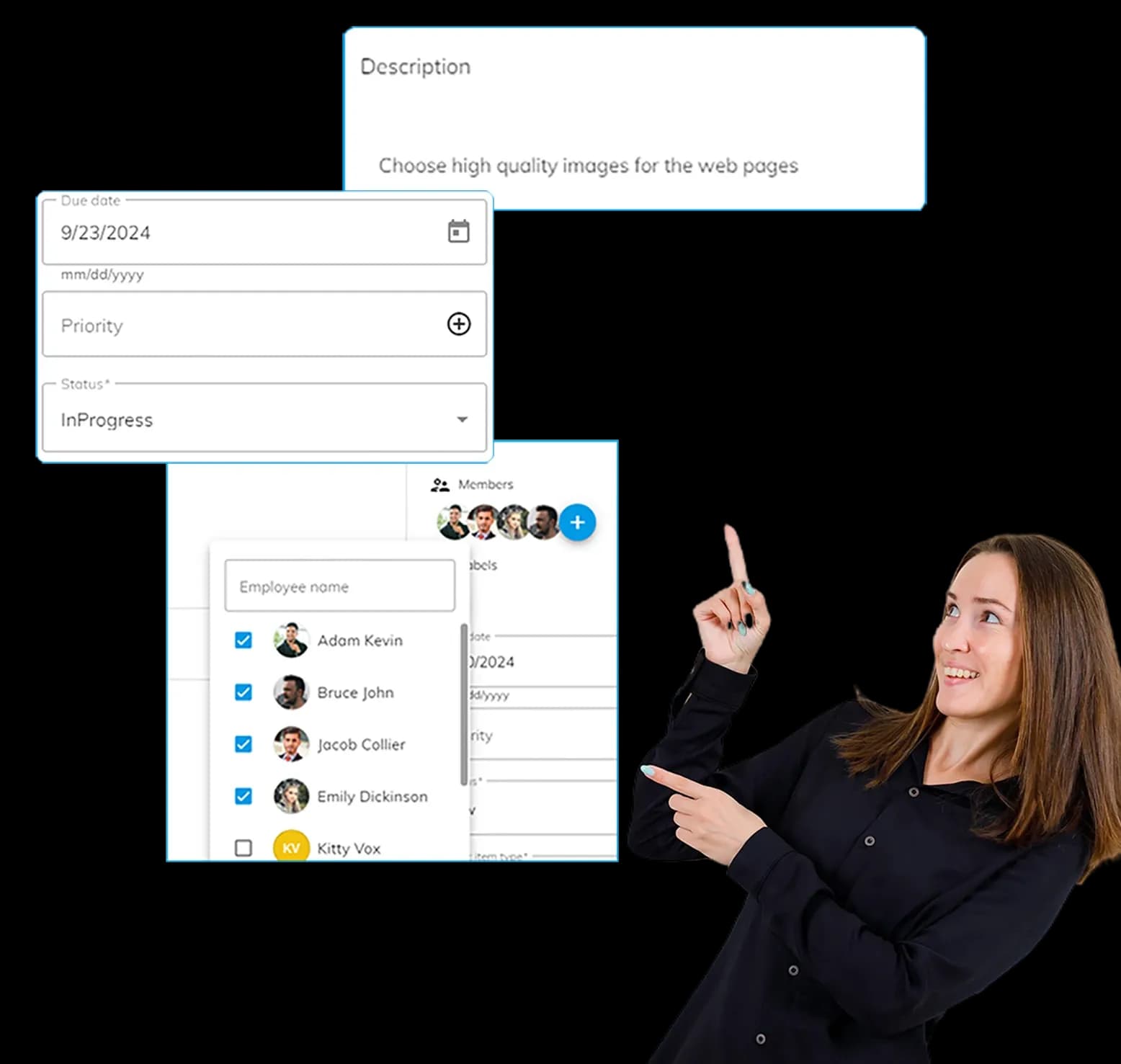
Task handling made easy. Assign work items to one or more employees under boards for collaborative task completion.
TASK REPORTS
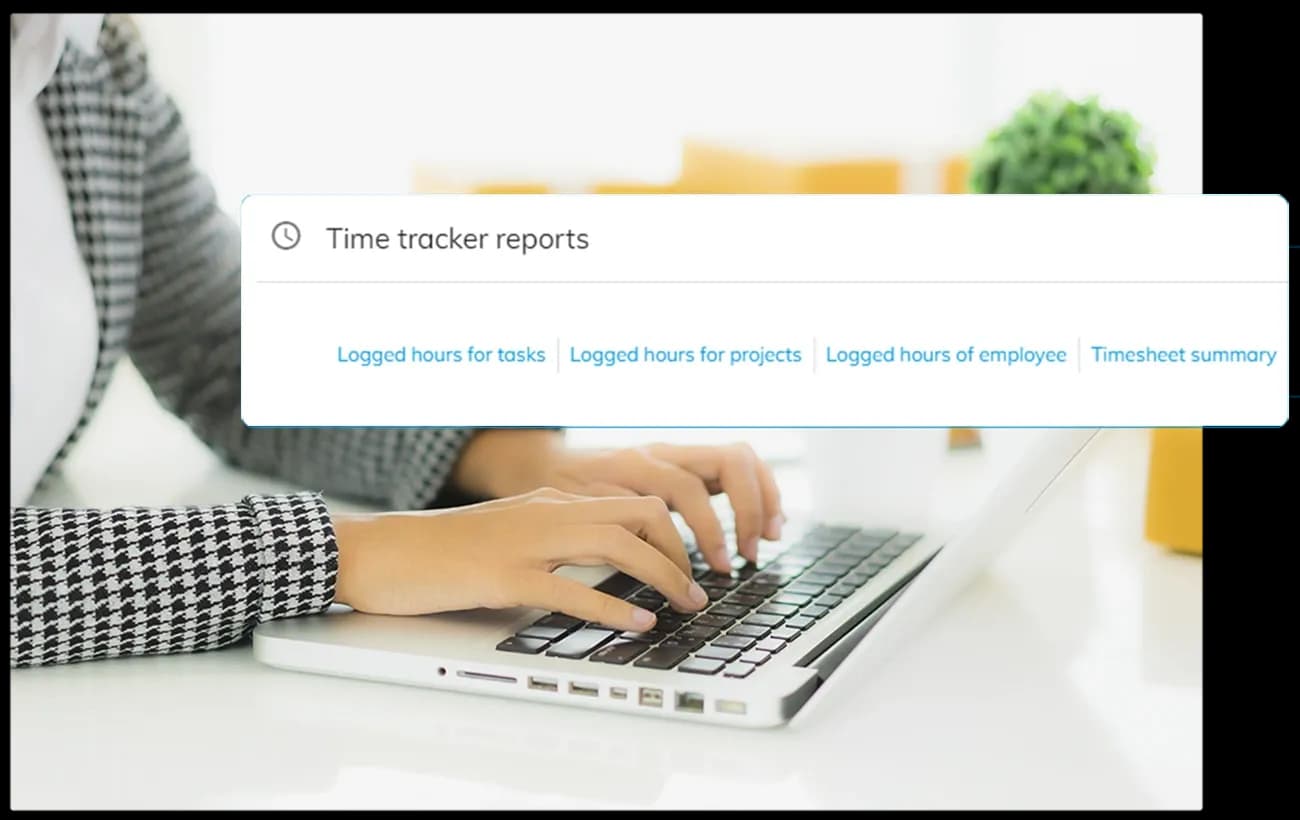
Receive detailed reports on task hours, project hours, employee hours, and timesheet summaries, all at one place.
Boards
Create one or more public or private boards, Add employees to the board, and mark any of the board as your favourite. The Office Portal Task Management tool offers the flexibility of public and private boards, ensuring that you can manage visibility and access to tasks based on your team's needs. Public boards are perfect for collaborative projects, while private boards keep sensitive tasks secure.
Billing Types
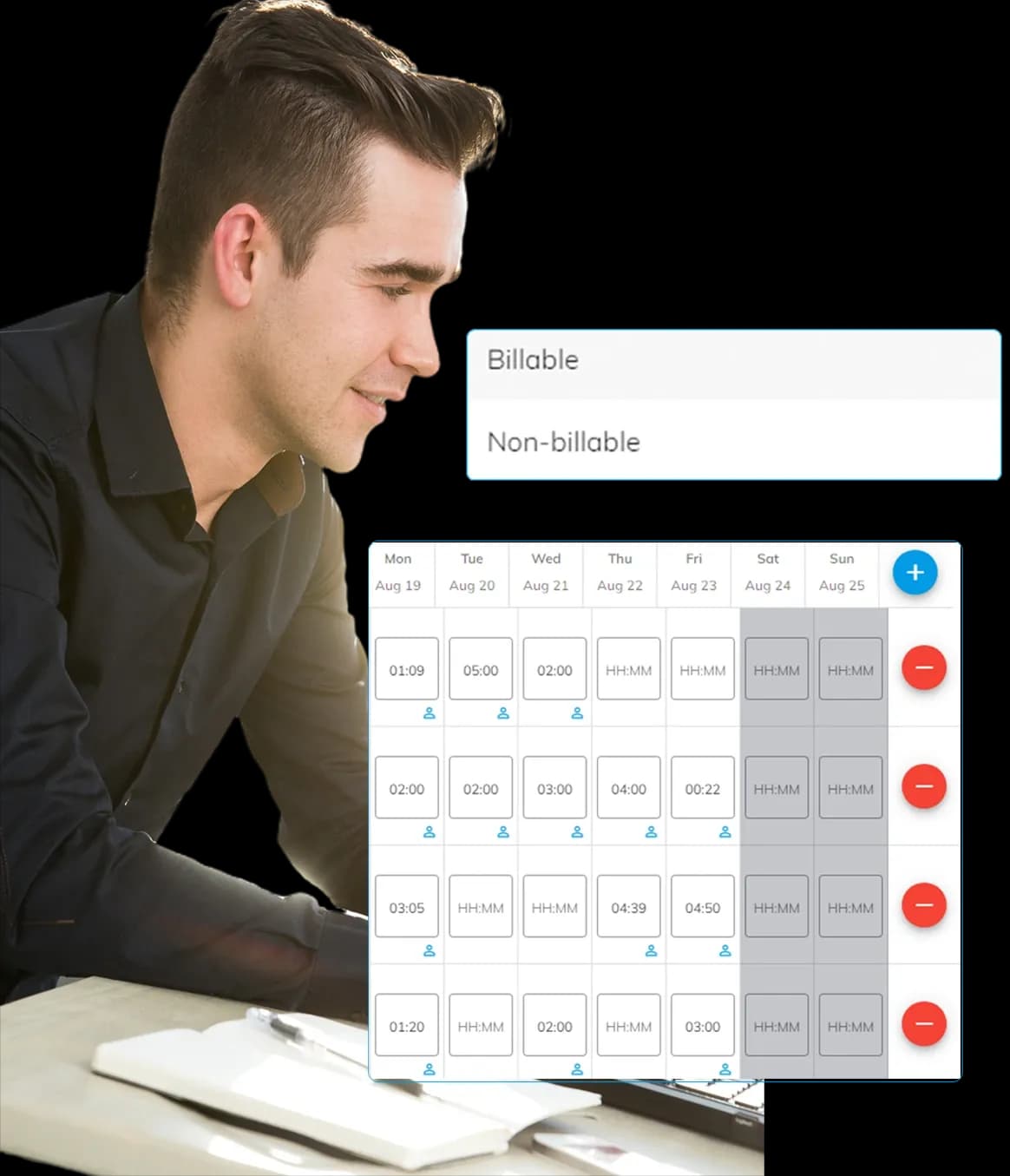
Easily manage project costs with billing type assignments. When assigning people to a project, you can designate them as billable or non-billable. For billable employees, you can also set their cost per hour
Tasks
Under the boards, you can assign work items to one or more employees. In the Office Portal, it is possible to add more than one employee to complete a particular task. Task Description
Task Types
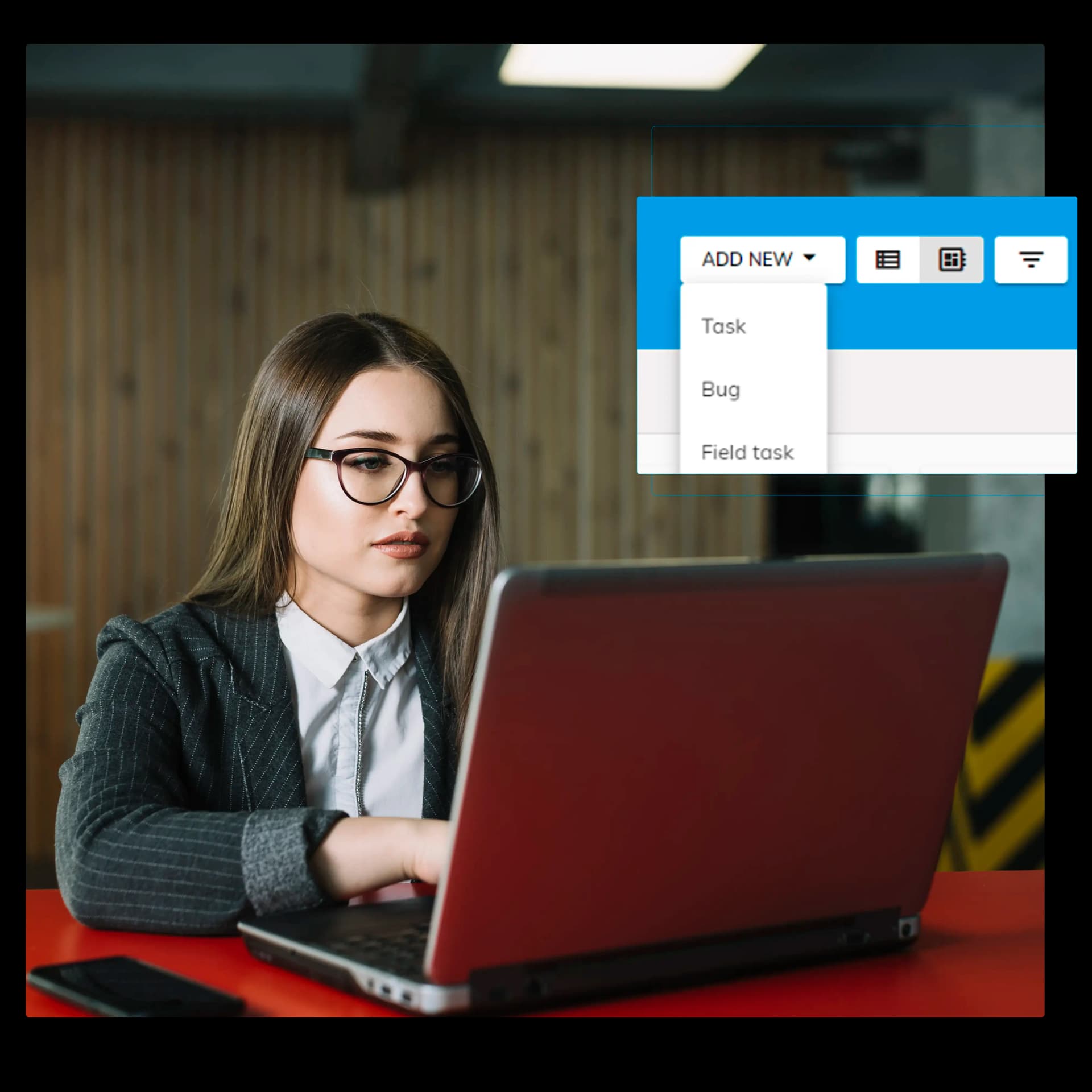
Mark the type to make the team members understand the task type. In the office portal, we are having 3 types of tasks categories. Work Item
Sub Task
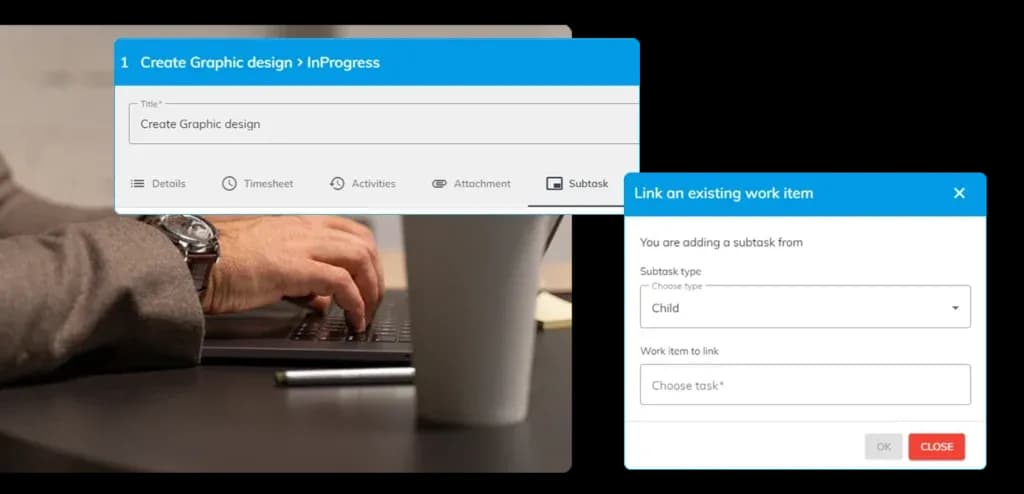
Break down larger tasks into manageable subtasks. This feature helps in tracking progress more accurately and ensures that every detail is accounted for.
Task Activities
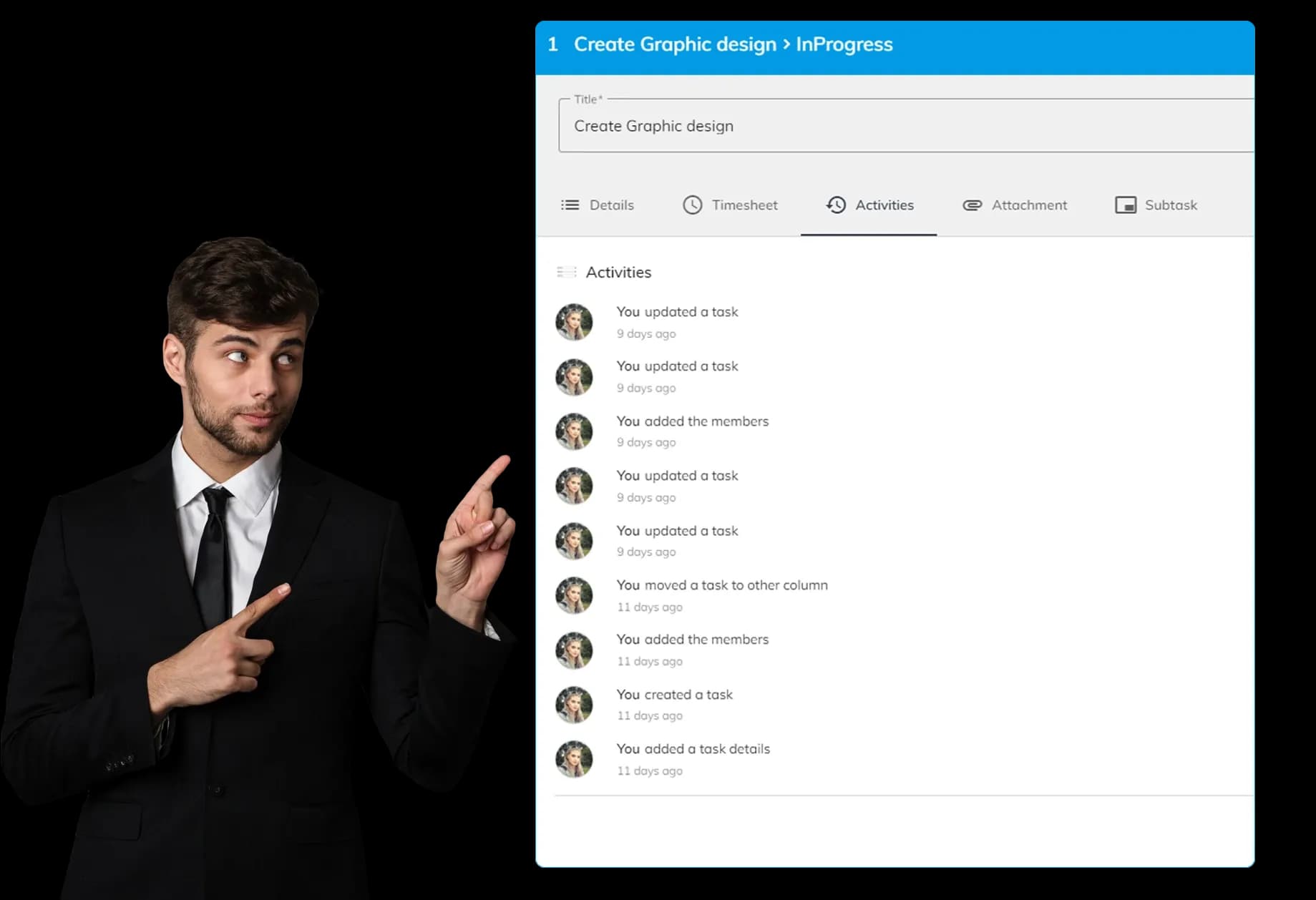
The task activities area displays all actions that have occurred for a particular task. For instance, it provides information such as "you added task members" and "you created task details.".
Comments with @Mention
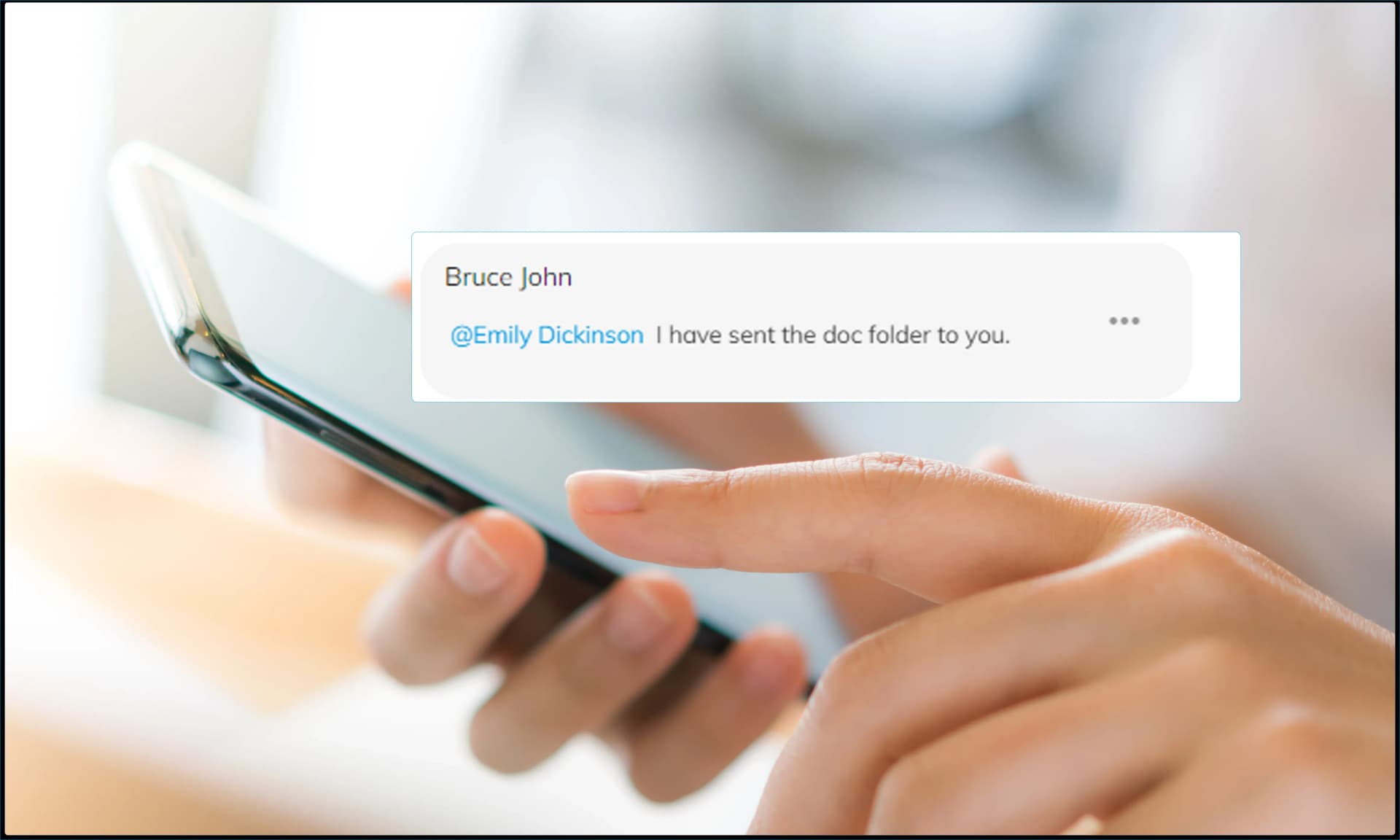
Enhance communication with the comments feature, which supports @mentions. Easily tag team members to notify them about your comments, ensuring everyone stays informed and engaged. .
Timesheets
Track the amount of time employees spend on each task or project with the efficient Timesheet management feature of the Office Portal. Employees can log their hours worked on specific tasks, which can then be reviewed and approved by managers to ensure accurate and efficient time management. Track the amount of time employees spend on each task or project with the efficient Timesheet management feature of the Office Portal. Employees can log their hours worked on specific tasks, which can then be reviewed and approved by managers to ensure accurate and efficient time management. If a billing type is specified for a project contributor, it will be automatically filled in the timesheet Office Portal offers the import feature that allows you to bring in your client and project data. After importing the projects, you can then import the project contributors' data, followed by the work item and timesheet data
Task Reports
Track the time spent on individual tasks, helping you understand workload and efficiency Monitor the total hours dedicated to each project, ensuring proper time allocation and resource management Get a detailed view of each employee's logged hours, aiding in performance evaluation and workload distribution Summarizes the logged hours across tasks and projects, providing a comprehensive overview for better decision-making
Advanced Capabilities
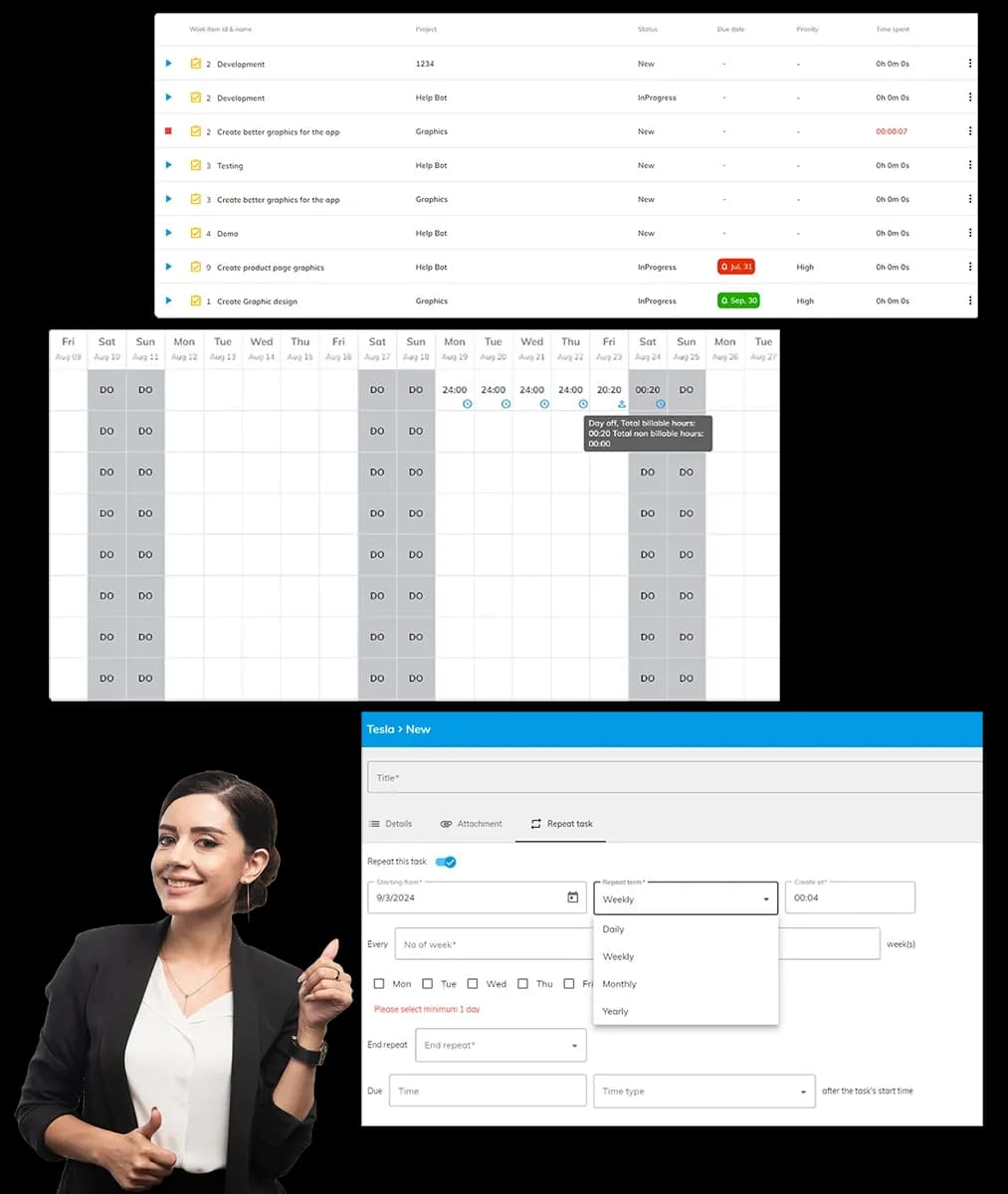
The “My Task” screen provides a personalised view for employees, showing all their assigned tasks in one place. This helps in managing workload and staying organised Easily calculate the time spent on tasks with our simple timer feature available at "My tasks" screen. Employees can start the timer when they begin working on a task and stop it when they are done. This way, the time spent on each task is accurately calculated and recorded. Automate recurring tasks with our recurring task feature. Schedule tasks to repeat at regular intervals, ensuring nothing is overlooked. Admins and team leads can fully manage timesheets by adding, editing, or deleting entries for themselves and their team. Integrated within the tasks section, this feature ensures seamless workflow management with secure access for data integrity and accurate records.
How It Works
Setup Free Account
It is easy to create a free account. No credit card is required.
Book a Demo
Get a personalised demo; our client service offices can give you a complete insight into OfficePortal.
Personalise OfficePortal
Personalise your OfficePortal with a few simple clicks and start using it.
Ready to get started? Start your free trial .
We offer 7 days free trial on our elite version.