Effective Time Tracking Software
Figure out the time utilisation of your resources to manage them effectively.
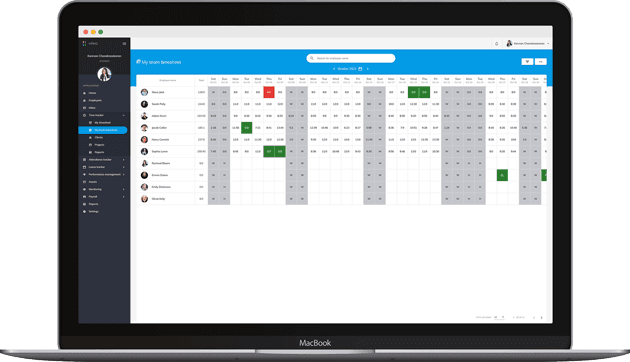
Discover project-wise time management of your employees
An Intuitive, flexible and in-depth time-tracking software
CLIENTS
Create as many clients as required and store their necessary information.
PROJECTS
Build any number of projects against the clients created and allocate the appropriate contributors for them.
BOARDS
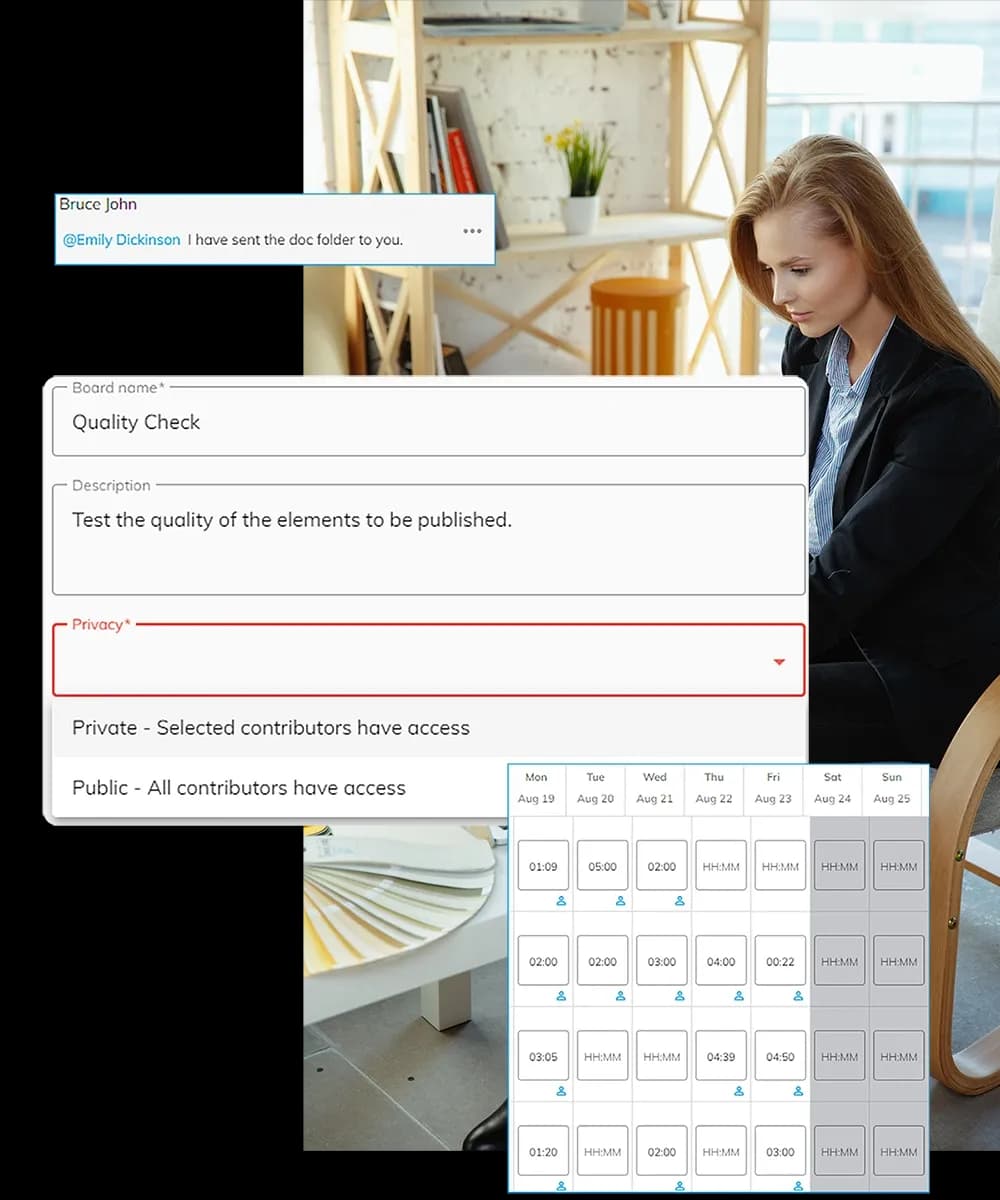
Add a project to create a board. Create multiple boards, set them as public or private, add members, and assign tasks.
TIMESHEET
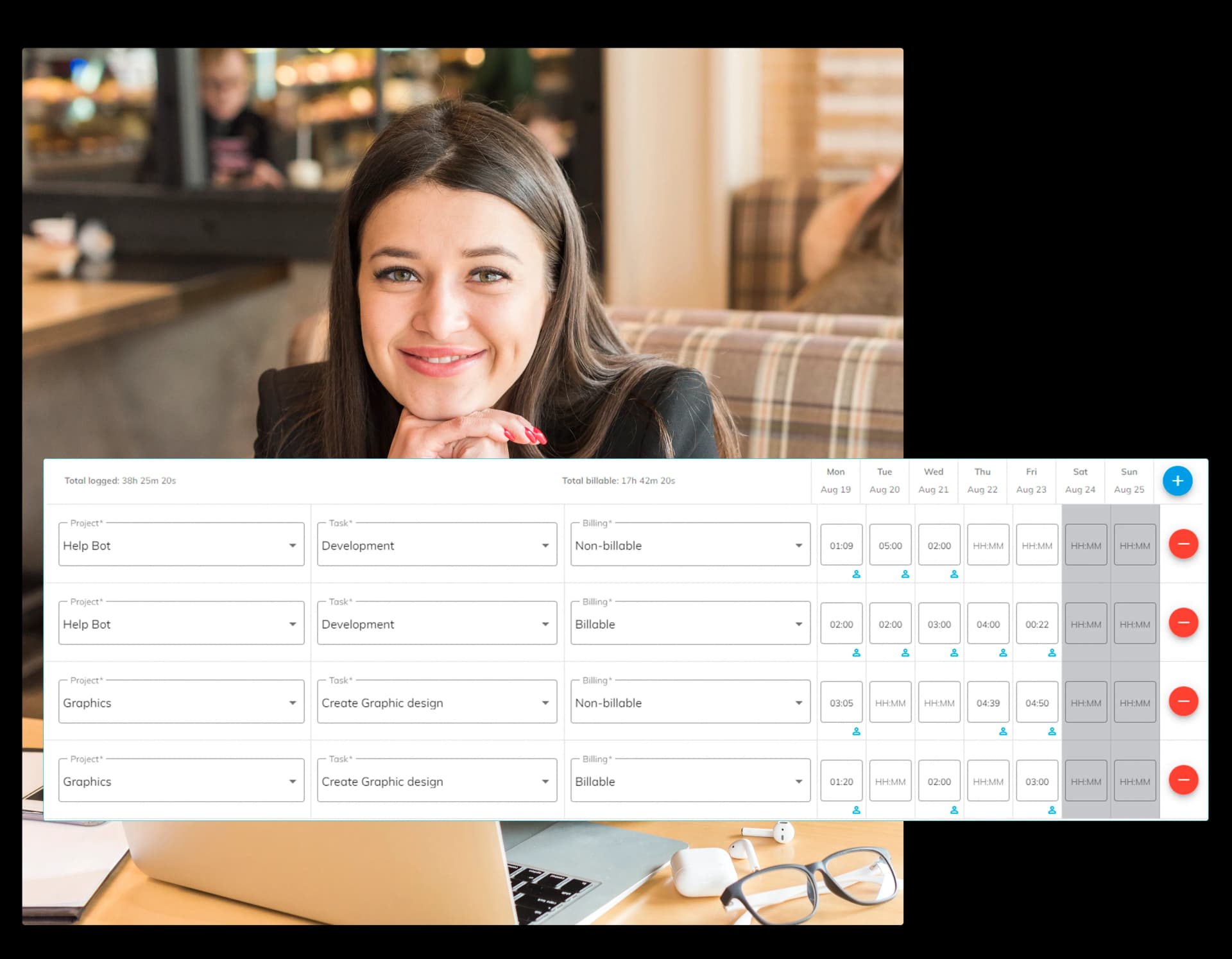
It's easy-to-fill-out timesheets help you to identify the billable and non-billable hours spent by your employees.
Employee Timesheet Software
Filling Timesheets is often the most boring activity for an employee. Our Intuitive design makes it easier for the employees to fill up the Timesheets on a daily/weekly basis. Save as draft, and Partial weekly submission enables the employees to fill and submit timesheets on the go. OfficePortal Time tracking software defines the timesheet flow in a systemic process of creating client and projects information first. Then, an employee must choose the project and tasks to fill the hours.
Adaptive Approval Workflow
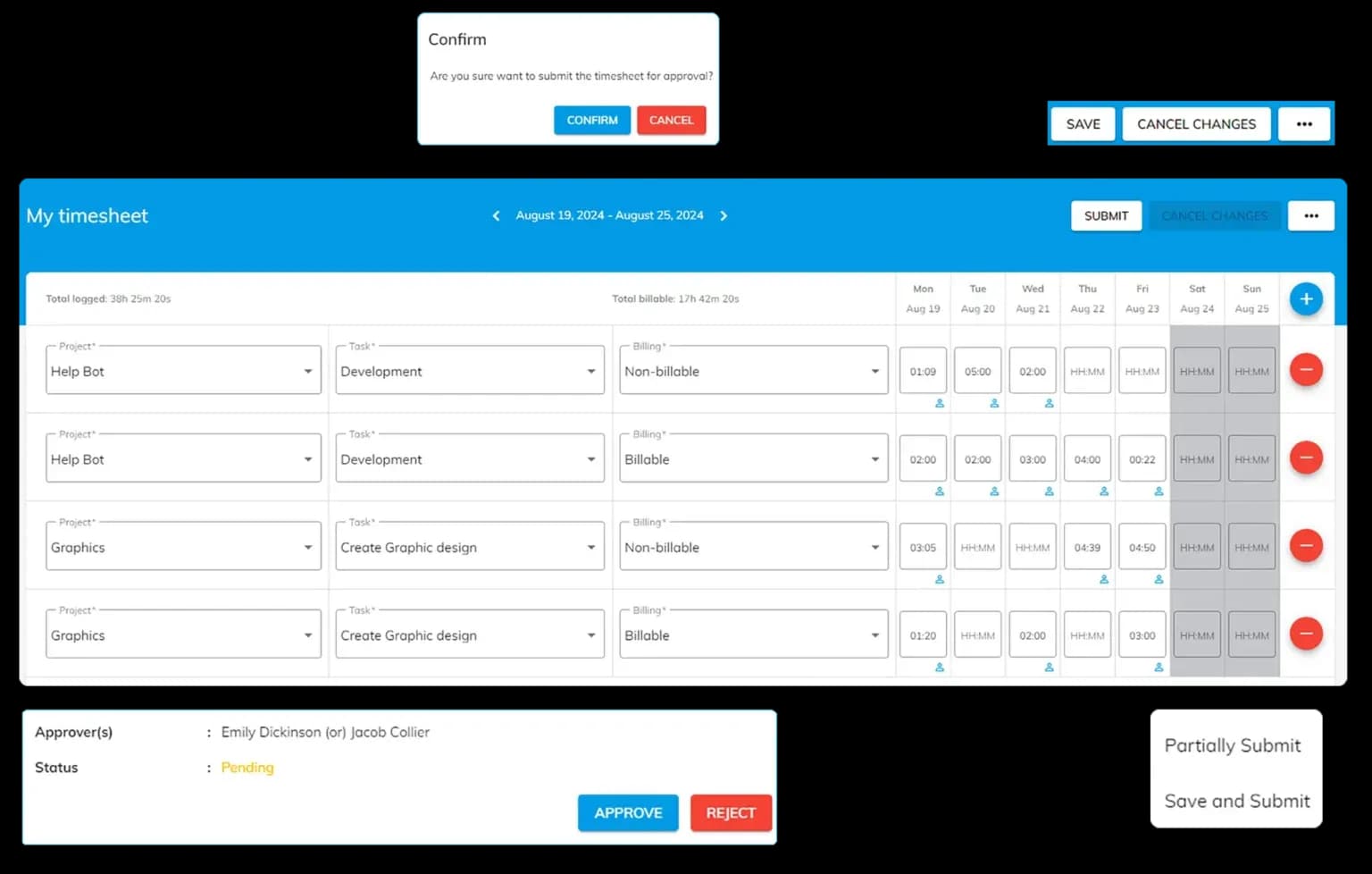
OfficePortal has an easy-to-use approval workflow, with Inbox having all the pending Timesheets as actionable items. Unique features like Delegation to a substitute or alternate approver and the facility to revoke an approved timesheet and resubmit it make the system totally flexible. Customising approval workflow is easy, and you can define multiple and hierarchical levels of approvers.
- Save as Draft
Employees can save the timesheet in the draft state and review it before submitting it for approval.
- Partial/Complete Submission
Employees can fill out the timesheet and submit it partially or for the whole week for compliance.
- Approve/Reject Timesheet
Approvers can take action on the timesheet submitted from Inbox by approving/rejecting it.
- Revoke and Resubmit
Approvers can revoke the timesheets for corrections, and employees can resubmit them for approval.
Timesheet Control
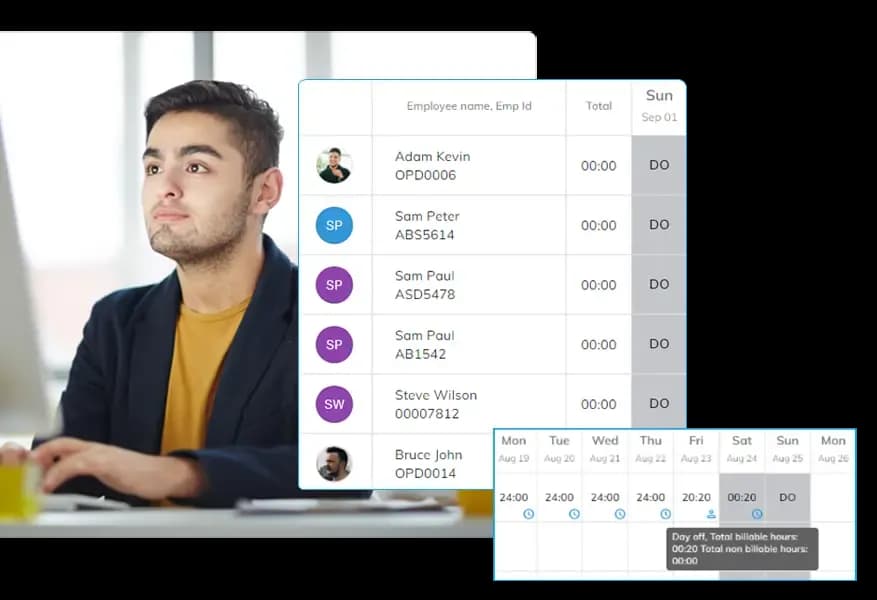
OfficePortal offers a comprehensive dashboard called "My Team Timesheet" that provides management with a clear view of the team's timesheet details, including a breakdown of billable and non-billable hours. This dashboard also includes an option to revoke accepted timesheets if needed, making it easier to adjust records. The visual representation of this data helps management quickly assess how resources are spending their time on projects, aiding in optimal resource utilization and improved project management. OfficePortal offers a comprehensive dashboard called "My Team Timesheet" that provides management with a clear view of the team's timesheet details, including a breakdown of billable and non-billable hours. This dashboard also includes an option to revoke accepted timesheets if needed, making it easier to adjust records. The visual representation of this data helps management quickly assess how resources are spending their time on projects, aiding in optimal resource utilization and improved project management.
Task Management Software
The organisation can create multiple private and public boards for a project. These boards are highly flexible and adaptive. Our Task Management Software can use to implement various processes, such as CRM, Recruitment Tracking, and DevOps software development.
- Private/Public Boards
Public boards will be accessed by all project contributors, whereas private boards can be accessed only by the members added.
- Task allocation
Any number of tasks can be created for each board and can have multiple members allocated to it simultaneously.
- Task processes
Members can comment, reply, react and add multiple files as attachments on tasks for any clarifications and guidance.
- Timesheet
The employee can fill in the timesheet data on the go for a specific task on the task board.
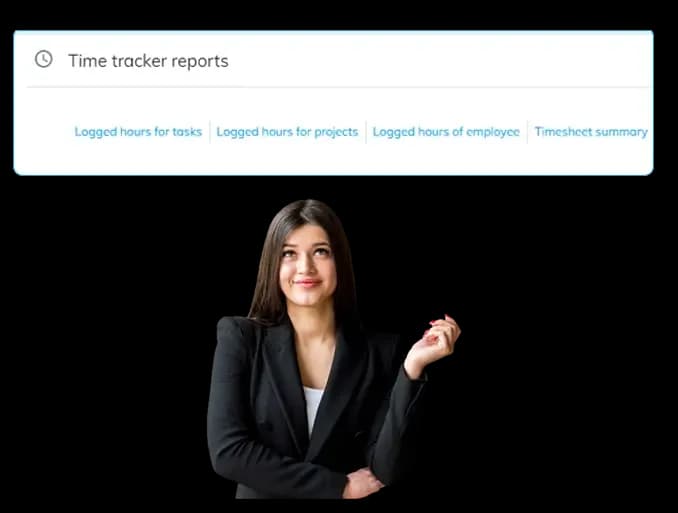
Streamline Project Management with Task reports
- Logged Hours for Tasks
Helps find time spent on each task to enhance workload understanding and boost efficiency..
- Logged Hours for Projects
Reveals the total time dedicated to each project, aiding in effective time allocation and resource management.
- Logged Hours of Employees
Provides insights into each employee’s time logged to improve performance evaluation and balance workload distribution.
- Timesheet Summary
Offers an overview of hours logged across tasks and projects to support better decision-making and project tracking.
How It Works
Setup Free Account
It is easy to create a free account. No credit card is required.
Book a Demo
Get a personalised demo; our client service offices can give you a complete insight into OfficePortal.
Personalise OfficePortal
Personalise your OfficePortal with a few simple clicks and start using it.
Ready to get started? Start your Free Trial
We offer 7 days free trial on our elite version.