OfficePortal’s Contractor Pay Option simplifies contractor payroll management, ensuring accuracy and compliance. Follow these steps to get started:
1. Set Up Contractor Profiles
- Add the contractor’s profile in OfficePortal.
- Set the employment type to Contractor.

Enter the contractor’s PAN number to enable customizable TDS values.
- If the PAN number is not entered, a default 20% TDS will be applied automatically.
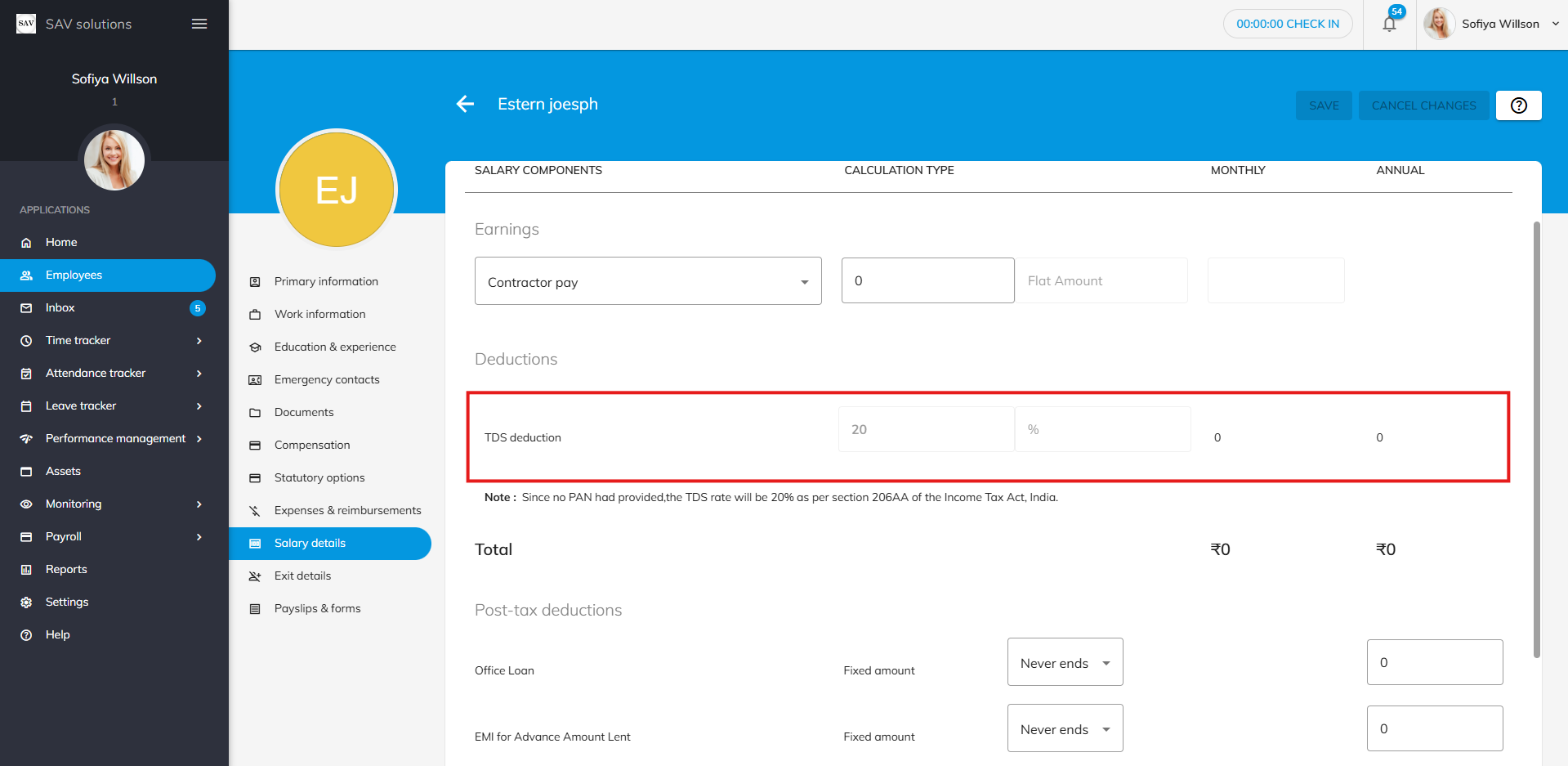
2. Customise Salary Details
- Define salary components, including TDS adjustments.
- Add post-tax deductions such as EMIs or advances, tailored to the contractor’s payment structure.
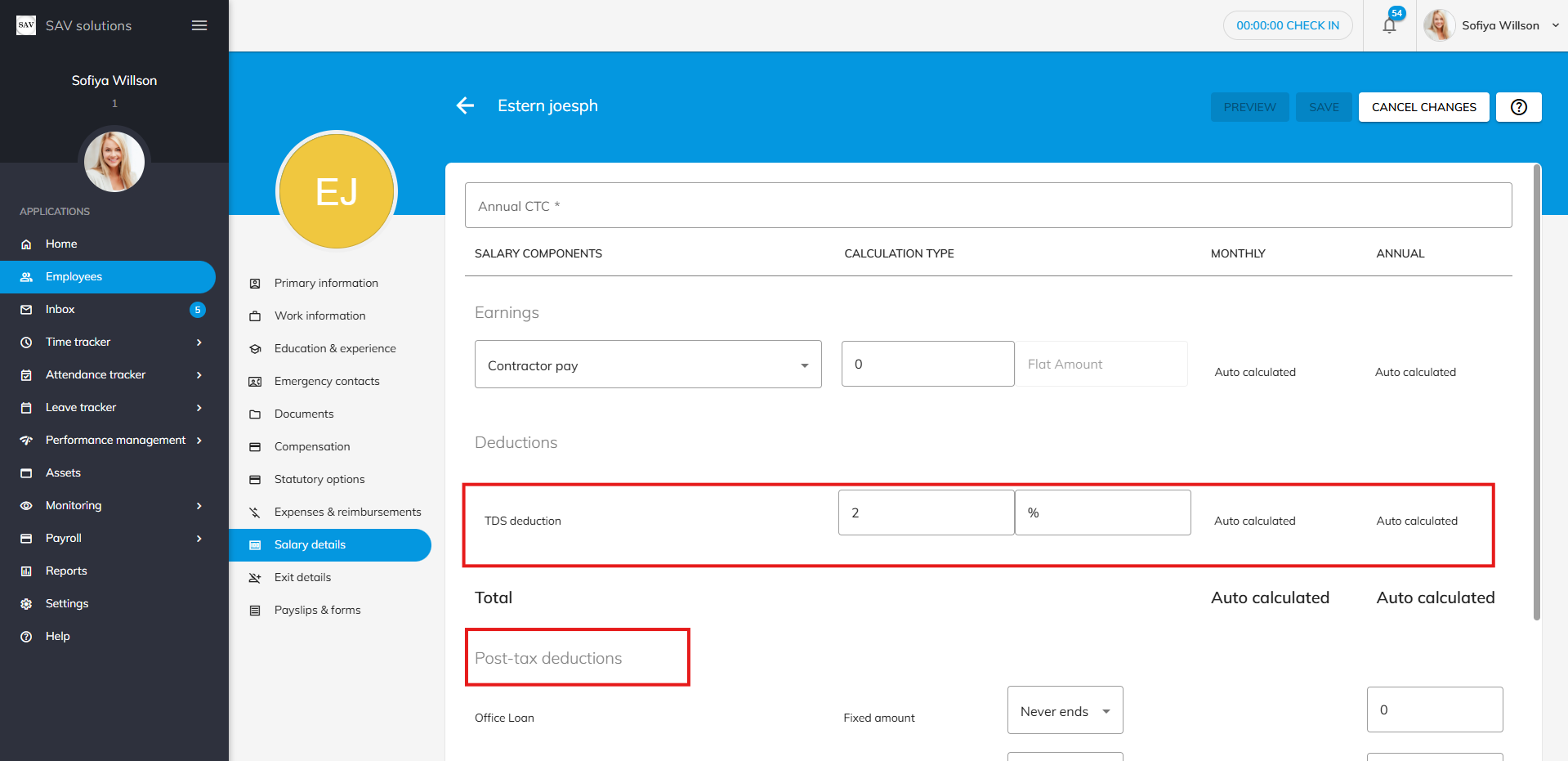
3. Run Payruns with Flexibility
- Run payruns based on locations, bands, or employment types.
- Choose to create separate payruns for contractors or combine them with all employees for unified payroll management.
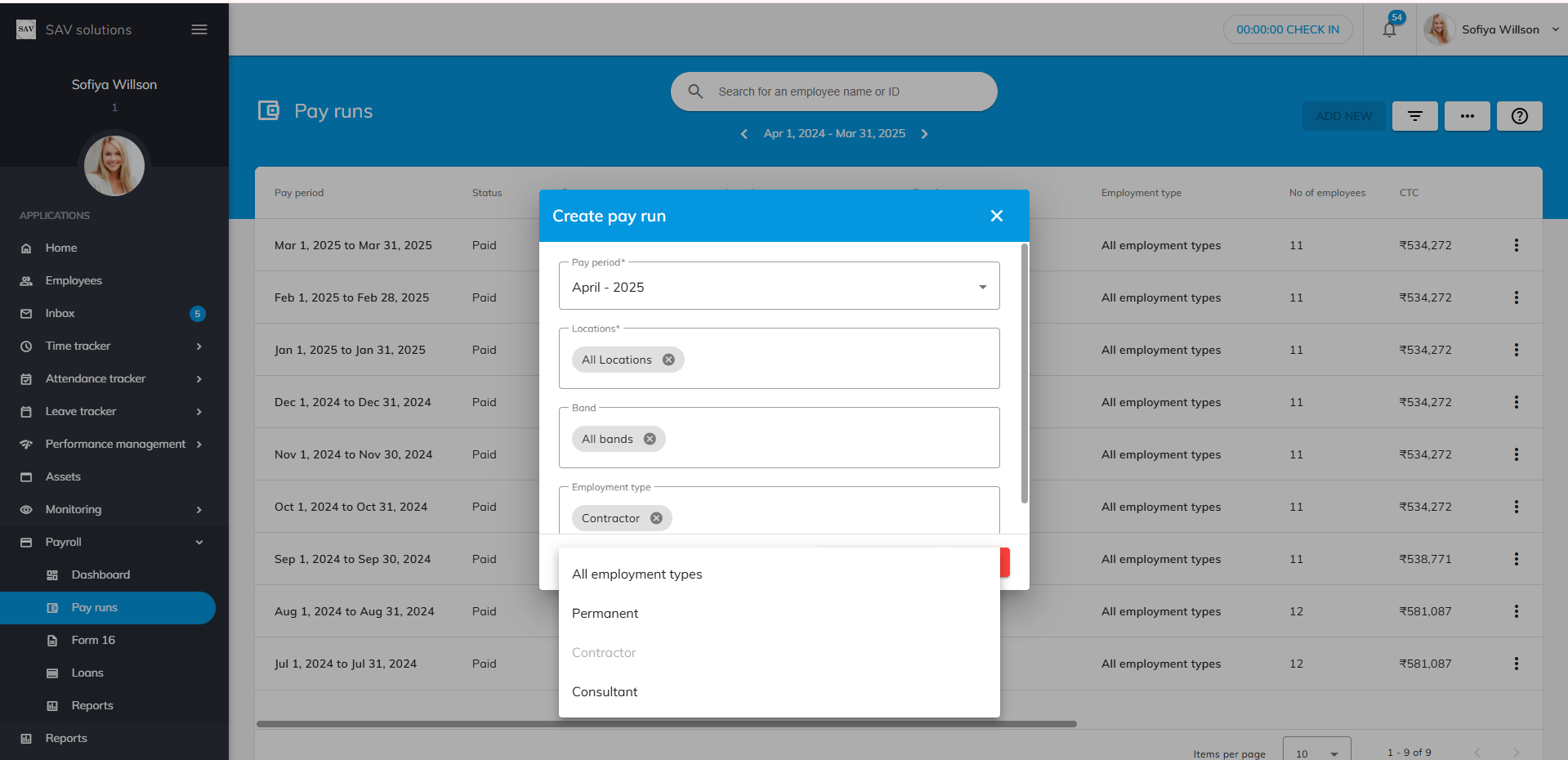
4. Enhance Payrun with Additional Features
- Include contractor pay corrections and one-time post-tax deductions directly in the contractor’s payslip during the payrun process.