Comp-off requests are typically made when you have worked on a weekend or holiday or have worked extra hours on a regular working day and wish to add those hours to your comp-off balance.
How to Make a Comp-Off Addition Request
Step 1: Navigate to the Comp-Off Request section and click the Apply button.
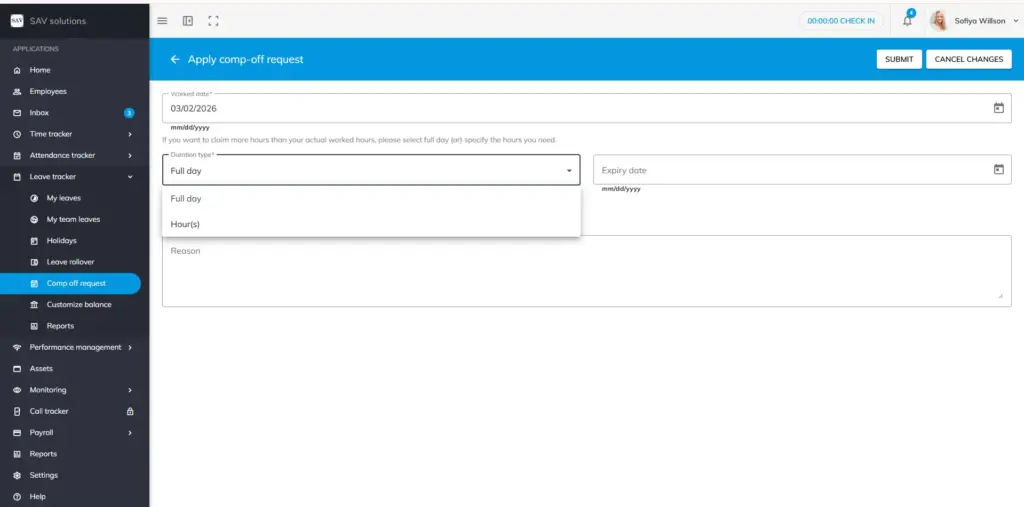
Step 2: Enter the date on which you worked. The system will automatically display the actual hours worked on that day.
Step 3: In the Duration section, choose whether you want to apply for a Full Day or only a Portion of the Hours. If you select a portion of the hours, specify the Start Time and End Time using the 24-hour format.
Step 4: Write a reason for your comp-off addition request, if desired.
Step 5: Choose an Expiry Date for your comp-off request or leave it blank. If left blank, the system will automatically set the last day of your leave year as the expiry date.
Step 6: Click the Submit button to send your request to your reporting manager.
Please Note
Your reporting manager has the authority to modify the comp-off expiry date you have provided. Once your comp-off addition request is approved, the approved hours will be automatically added to your comp-off balance. To cancel a comp-off addition request, click the Cancel button and confirm.
My Team Comp-off Request
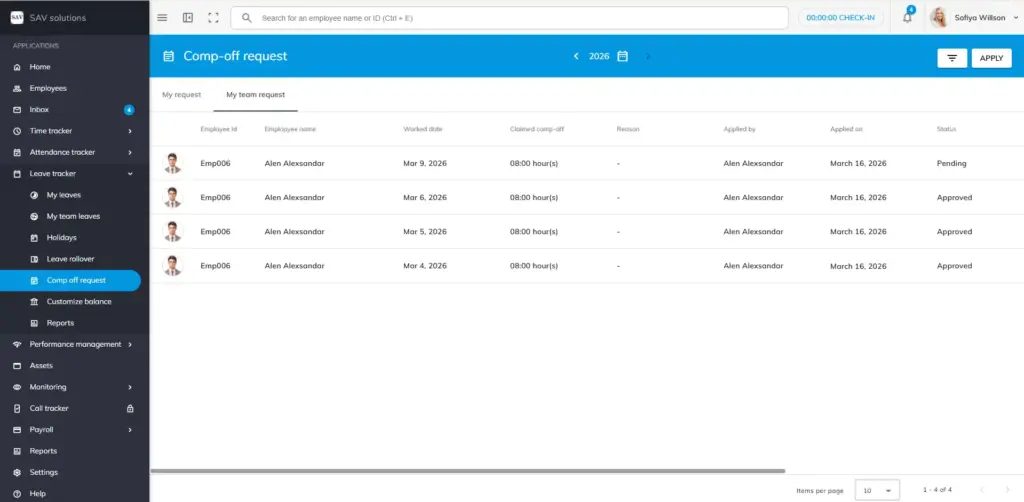
The “My Team Comp-Off Request” section is accessible only to those with the role- access. In this area, you can view the comp-off request status of your team members, whether each request is pending or approved.
Apply Comp-off request for your team
In the “My team comp-off request” section, you have an option to apply comp-of request for your own team.
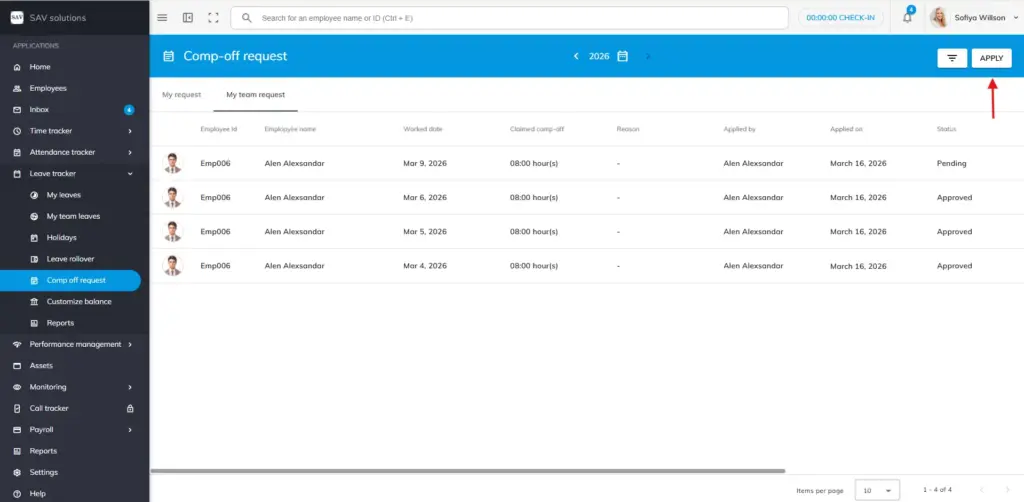
Step 1: Click the “Apply” button in the top right corner.
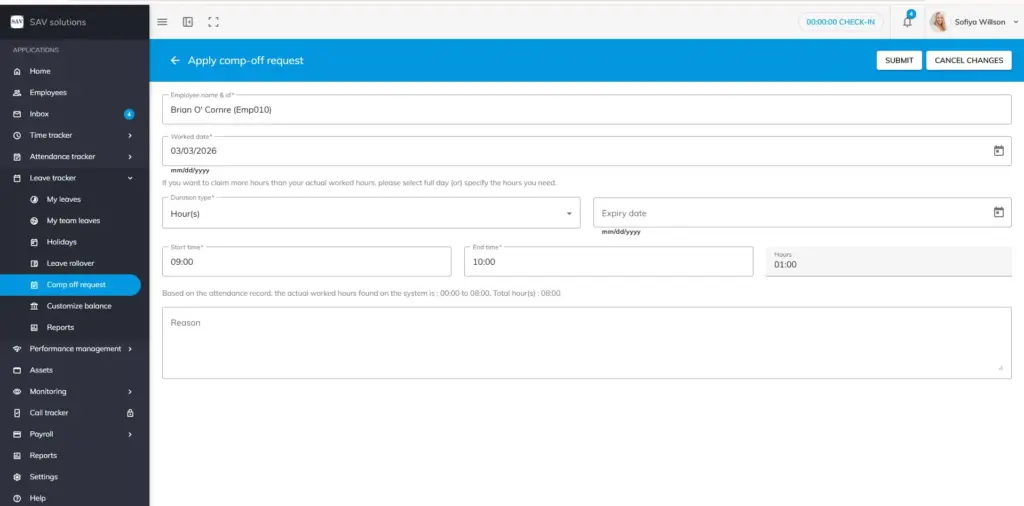
Step 2: Enter the employee’s name and Id.
Step 3: Enter the worked date.
Step 4: Enter the duration. Full day or in hours. If selected “Hours”, write the start and end time.
Step 5; Fill the expiry date if needed.
Step 6: Write reason if required.
Step 7: Finally, hit the submit button to submit comp-off request for your team member.
Like this, a manager or authorized personnel with “My team comp-off request” role access, can apply comp-off request for all the members of his team.