How to add “Asset Categories”?
Navigate to the Settings > Asset Fields> Asset categories.
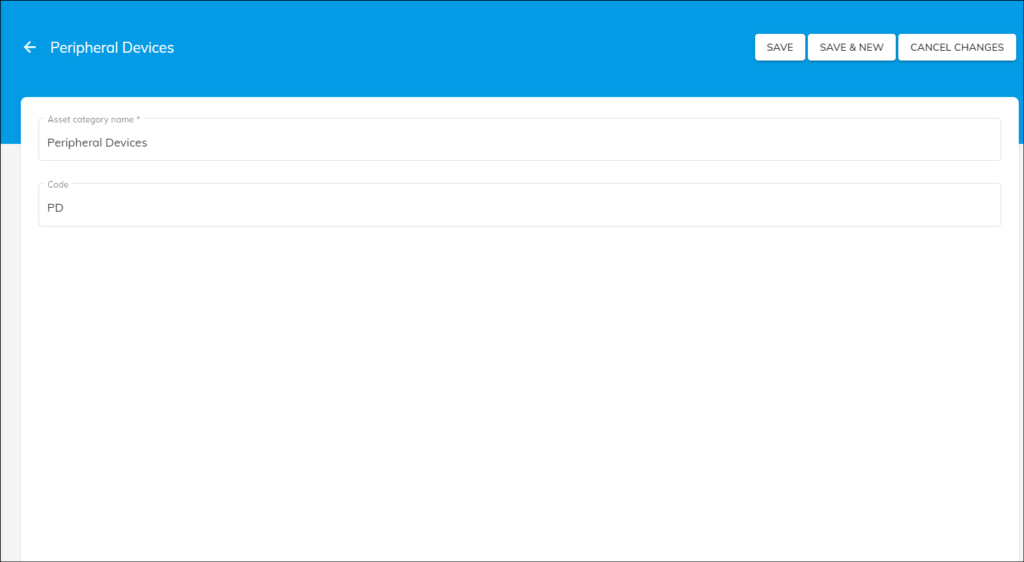
- Click on the “ADD NEW” You can enter the “Asset category name” like the laptop, Mobile phones, Printers, Computers, Peripheral devices etc.
- Once you enter the Asset Category name, the code will be automatically generated based on the asset category name. You can even modify the auto-generated code if necessary.
- Finally, click on the “Save” button to save the asset category or Click on the “Save & New” button to save & add another asset category.
Once you add the asset categories, you may view the same on the list view or card view.
Example:
- If the asset category name is a single word, it will take the first and last letter of the asset category name]
- If the asset category name consists of two words, it will take the first letter of each word.
Note: A numeral will be added at the end if the code already exists.